
Java is a versatile and widely-used programming language that offers a variety of control flow statements to manage the execution of code. One of the most powerful and commonly used control flow statements is the Java Switch Case. This statement allows developers to execute one block of code among many options based on the value of a variable or expression. Understanding how to effectively use the Java Switch Case can significantly enhance the readability and maintainability of your code.
Understanding the Java Switch Case
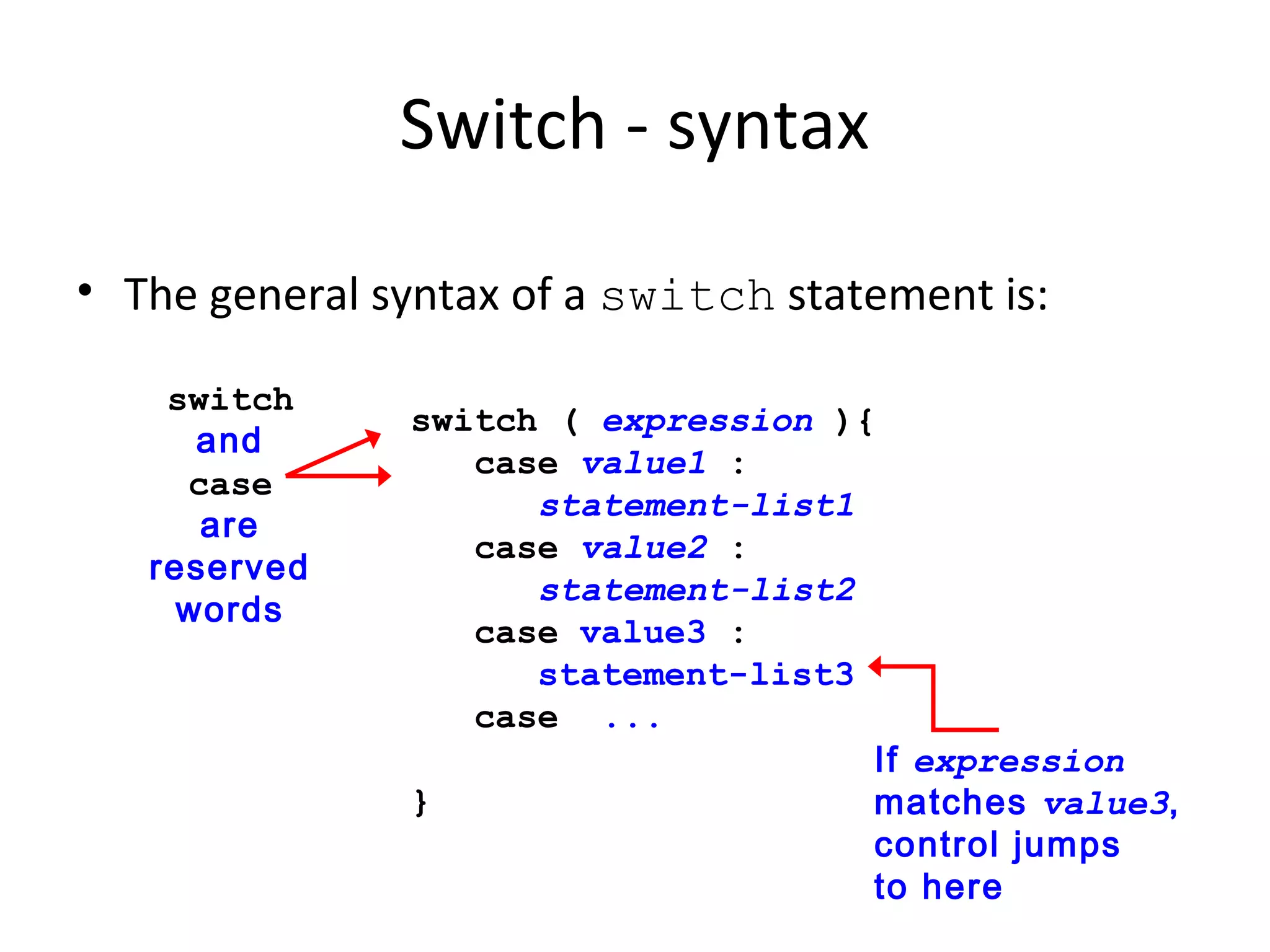
The Java Switch Case statement is used to perform different actions based on different conditions. It is an alternative to using multiple if-else statements and can make your code more organized and easier to read. The basic syntax of a Java Switch Case statement is as follows:
switch (expression) {
    case value1:
        // Code to be executed if expression == value1
        break;
    case value2:
        // Code to be executed if expression == value2
        break;
    // You can have any number of case statements
    default:
        // Code to be executed if expression doesn't match any case
}
The expression in the switch statement is evaluated once, and its value is compared with the values of each case. If a match is found, the corresponding block of code is executed. The break statement is used to terminate the switch block. Without the break statement, the program will continue to execute the code for subsequent cases, a behavior known as "fall-through."
Basic Example of Java Switch Case
Let's start with a simple example to illustrate how the Java Switch Case works. Suppose you want to print the day of the week based on an integer input.
public class SwitchCaseExample {
    public static void main(String[] args) {
        int day = 3;

        switch (day) {
            case 1:
                System.out.println("Monday");
                break;
            case 2:
                System.out.println("Tuesday");
                break;
            case 3:
                System.out.println("Wednesday");
                break;
            case 4:
                System.out.println("Thursday");
                break;
            case 5:
                System.out.println("Friday");
                break;
            case 6:
                System.out.println("Saturday");
                break;
            case 7:
                System.out.println("Sunday");
                break;
            default:
                System.out.println("Invalid day");
                break;
        }
    }
}
In this example, the variable day is evaluated, and the corresponding day of the week is printed. If the value of day does not match any of the cases, the default block is executed, printing "Invalid day."
Using Strings in Java Switch Case
In addition to integers, the Java Switch Case statement can also be used with strings. This feature was introduced in Java 7 and allows for more flexible and readable code. Here's an example:
public class StringSwitchCaseExample {
    public static void main(String[] args) {
        String fruit = "Apple";

        switch (fruit) {
            case "Apple":
                System.out.println("You selected Apple");
                break;
            case "Banana":
                System.out.println("You selected Banana");
                break;
            case "Orange":
                System.out.println("You selected Orange");
                break;
            default:
                System.out.println("Unknown fruit");
                break;
        }
    }
}
In this example, the variable fruit is a string, and the switch statement evaluates its value to determine which block of code to execute. This can be particularly useful when dealing with user input or configuration settings.
Nested Java Switch Case
Sometimes, you may need to use a Java Switch Case statement within another switch statement. This is known as a nested switch statement. While nested switch statements can be useful, they can also make your code more complex and harder to read. Use them judiciously.
public class NestedSwitchCaseExample {
    public static void main(String[] args) {
        int day = 3;
        int period = 2;

        switch (day) {
            case 1:
                System.out.println("Monday");
                break;
            case 2:
                System.out.println("Tuesday");
                break;
            case 3:
                System.out.println("Wednesday");
                switch (period) {
                    case 1:
                        System.out.println("Morning");
                        break;
                    case 2:
                        System.out.println("Afternoon");
                        break;
                    case 3:
                        System.out.println("Evening");
                        break;
                    default:
                        System.out.println("Invalid period");
                        break;
                }
                break;
            case 4:
                System.out.println("Thursday");
                break;
            case 5:
                System.out.println("Friday");
                break;
            case 6:
                System.out.println("Saturday");
                break;
            case 7:
                System.out.println("Sunday");
                break;
            default:
                System.out.println("Invalid day");
                break;
        }
    }
}
In this example, the outer switch statement evaluates the day variable, and the inner switch statement evaluates the period variable. This allows for more granular control over the flow of your program.
Java Switch Case with Enums
Enums are a powerful feature in Java that allow you to define a set of named constants. You can use enums with the Java Switch Case statement to make your code more readable and maintainable. Here's an example:
public class EnumSwitchCaseExample {
    enum Day {
        MONDAY, TUESDAY, WEDNESDAY, THURSDAY, FRIDAY, SATURDAY, SUNDAY
    }

    public static void main(String[] args) {
        Day day = Day.WEDNESDAY;

        switch (day) {
            case MONDAY:
                System.out.println("Monday");
                break;
            case TUESDAY:
                System.out.println("Tuesday");
                break;
            case WEDNESDAY:
                System.out.println("Wednesday");
                break;
            case THURSDAY:
                System.out.println("Thursday");
                break;
            case FRIDAY:
                System.out.println("Friday");
                break;
            case SATURDAY:
                System.out.println("Saturday");
                break;
            case SUNDAY:
                System.out.println("Sunday");
                break;
            default:
                System.out.println("Invalid day");
                break;
        }
    }
}
In this example, the Day enum defines the days of the week. The switch statement evaluates the day variable, which is of type Day, and executes the corresponding block of code. Using enums with Java Switch Case can make your code more type-safe and easier to understand.
Java Switch Case with Ranges
One limitation of the traditional Java Switch Case statement is that it does not support ranges. However, you can work around this limitation by using a combination of if-else statements and switch statements. Here's an example:
public class SwitchCaseWithRangesExample {
    public static void main(String[] args) {
        int score = 85;

        switch (score / 10) {
            case 10:
            case 9:
                System.out.println("Grade: A");
                break;
            case 8:
                System.out.println("Grade: B");
                break;
            case 7:
                System.out.println("Grade: C");
                break;
            case 6:
                System.out.println("Grade: D");
                break;
            default:
                System.out.println("Grade: F");
                break;
        }
    }
}
In this example, the score variable is divided by 10 to determine the range it falls into. The switch statement then evaluates the result to determine the corresponding grade. This approach allows you to handle ranges in a Java Switch Case statement.
💡 Note: Be cautious when using this approach, as it can make your code more complex and harder to read. Consider whether a different control flow statement, such as if-else, might be more appropriate.
Java Switch Case with Multiple Values
Sometimes, you may want to execute the same block of code for multiple values in a Java Switch Case statement. You can achieve this by listing multiple case labels for the same block of code. Here's an example:
public class MultipleValuesSwitchCaseExample {
    public static void main(String[] args) {
        int month = 12;

        switch (month) {
            case 1:
            case 2:
            case 3:
                System.out.println("First Quarter");
                break;
            case 4:
            case 5:
            case 6:
                System.out.println("Second Quarter");
                break;
            case 7:
            case 8:
            case 9:
                System.out.println("Third Quarter");
                break;
            case 10:
            case 11:
            case 12:
                System.out.println("Fourth Quarter");
                break;
            default:
                System.out.println("Invalid month");
                break;
        }
    }
}
In this example, the switch statement evaluates the month variable and executes the corresponding block of code based on the quarter of the year. This approach allows you to handle multiple values efficiently in a Java Switch Case statement.
Java Switch Case with Fall-Through
As mentioned earlier, the Java Switch Case statement has a behavior known as "fall-through," where the program continues to execute the code for subsequent cases if a break statement is not present. While this behavior can be useful in some situations, it can also lead to unexpected results if not handled carefully. Here's an example:
public class FallThroughSwitchCaseExample {
    public static void main(String[] args) {
        int number = 2;

        switch (number) {
            case 1:
                System.out.println("Case 1");
            case 2:
                System.out.println("Case 2");
            case 3:
                System.out.println("Case 3");
                break;
            default:
                System.out.println("Default case");
                break;
        }
    }
}
In this example, the switch statement evaluates the number variable. Since there is no break statement after Case 1 and Case 2, the program will execute the code for both Case 2 and Case 3 when number is 2. This behavior can be useful when you want to execute multiple blocks of code for a single case, but it requires careful handling to avoid bugs.
🚨 Note: Be cautious when using fall-through in your Java Switch Case statements. It can make your code harder to read and maintain, and it can lead to unexpected results if not handled carefully.
Java Switch Case with Expressions
In addition to variables, you can also use expressions in a Java Switch Case statement. This allows for more flexible and dynamic control flow. Here's an example:
public class ExpressionSwitchCaseExample {
    public static void main(String[] args) {
        int number = 5;

        switch (number % 2) {
            case 0:
                System.out.println("Even number");
                break;
            case 1:
                System.out.println("Odd number");
                break;
            default:
                System.out.println("Invalid number");
                break;
        }
    }
}
In this example, the switch statement evaluates the expression number % 2, which determines whether the number is even or odd. This approach allows you to handle more complex conditions in a Java Switch Case statement.
Java Switch Case with Enhanced Switch (Java 12 and Later)
Starting from Java 12, the Java Switch Case statement has been enhanced to support more expressive and concise syntax. The enhanced switch statement allows you to use arrow labels (`->`) and expressions, making your code more readable and maintainable. Here's an example:
public class EnhancedSwitchCaseExample {
    public static void main(String[] args) {
        int number = 2;

        String result = switch (number) {
            case 1 -> "One";
            case 2 -> "Two";
            case 3 -> "Three";
            default -> "Unknown";
        };

        System.out.println(result);
    }
}
In this example, the enhanced switch statement evaluates the number variable and returns the corresponding string. The arrow labels (`->`) make the syntax more concise and readable. This feature is particularly useful when you want to return a value based on the result of a switch statement.
💡 Note: The enhanced switch statement is available starting from Java 12. If you are using an earlier version of Java, you will need to use the traditional switch statement syntax.
Java Switch Case Best Practices
To make the most of the Java Switch Case statement, follow these best practices:
- Use descriptive case labels: Choose case labels that clearly describe the condition being tested. This makes your code more readable and easier to understand.
- Include a default case: Always include a default case to handle unexpected values. This helps prevent runtime errors and makes your code more robust.
- Use break statements: Include break statements at the end of each case to prevent fall-through. This ensures that only the intended block of code is executed.
- Avoid deep nesting: Avoid deeply nested switch statements, as they can make your code harder to read and maintain. Consider refactoring your code if you find yourself using nested switch statements.
- Use enums for better type safety: When possible, use enums with Java Switch Case statements to make your code more type-safe and easier to understand.
- Consider alternative control flow statements: While the Java Switch Case statement is powerful, it may not always be the best choice. Consider using alternative control flow statements, such as if-else, when appropriate.
By following these best practices, you can write more readable, maintainable, and efficient code using the Java Switch Case statement.
In conclusion, the Java Switch Case statement is a powerful and versatile control flow statement that allows you to execute different blocks of code based on the value of a variable or expression. By understanding how to effectively use the Java Switch Case statement, you can write more organized, readable, and maintainable code. Whether you are handling simple conditions or complex logic, the Java Switch Case statement provides a flexible and efficient way to manage the flow of your program.
Related Terms:
- java17 switch case
- java switch case multiple values
- java switch case arrow
- java switch case example
- java switch case null
- java switch expression